

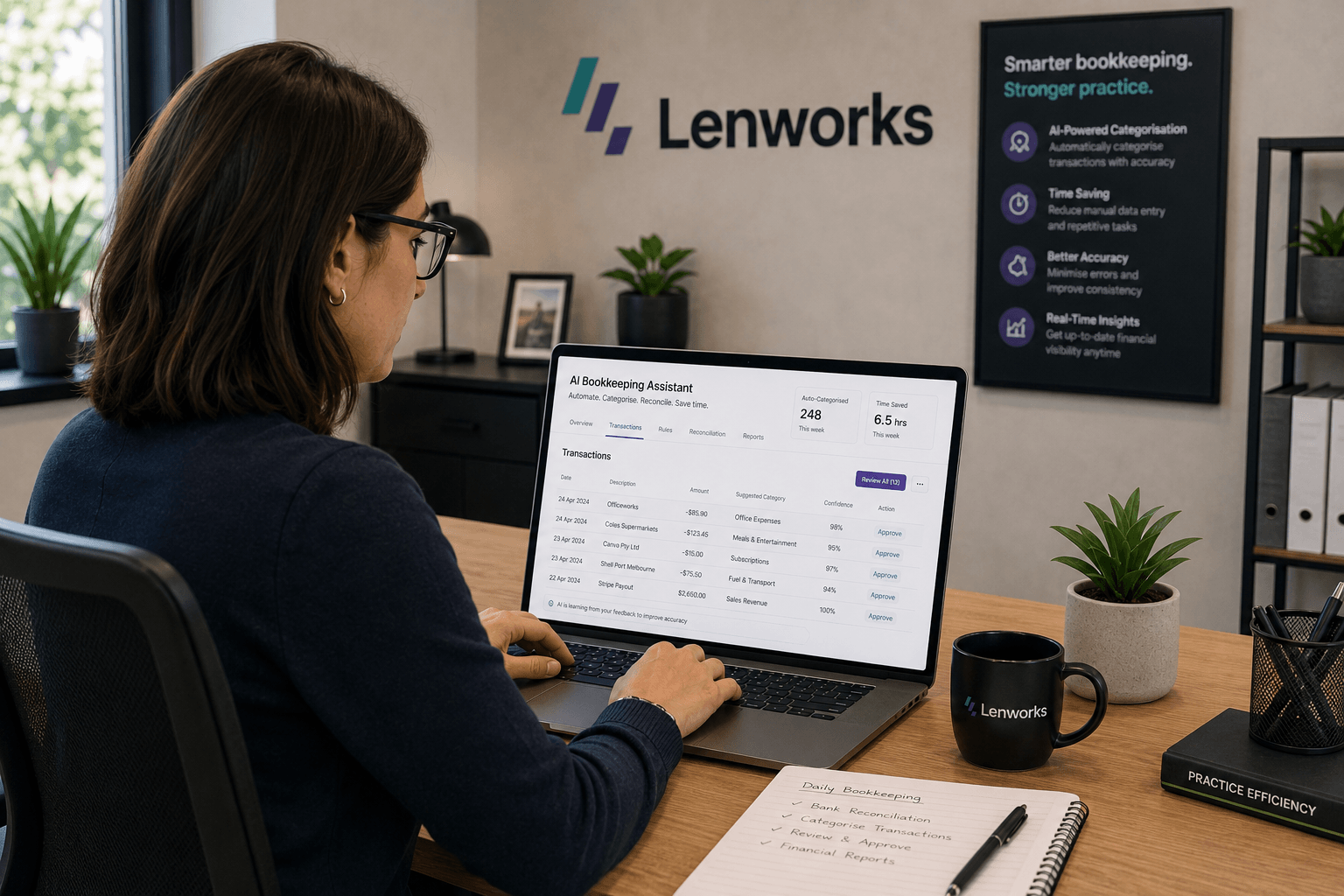
AI bookkeeping has gone from buzzword to baseline feature in the space of a few years. Xero and QuickBooks Online now ship with AI categorisation built in. Dedicated tools like Dext and AutoEntry handle receipt and invoice processing automatically. And a growing number of accounting firms are running bookkeeping workflows where AI handles the routine work and humans handle the review.
But the hype often outpaces the reality. This guide covers what AI bookkeeping actually does well, where it still falls short, and how to build a hybrid process that gets the efficiency gains without introducing new problems.
What Is AI Bookkeeping?
AI bookkeeping is the use of artificial intelligence to automate the data capture, categorisation, and reconciliation tasks that make up a large portion of routine bookkeeping work. Rather than manually entering transactions, matching receipts, or assigning expense categories, the AI analyses patterns in the data and makes these decisions automatically.
The technology is not new, but the quality and accessibility have improved significantly. Modern AI bookkeeping tools learn from corrections over time, improve accuracy the longer they work with a specific client’s data, and handle the vast majority of standard transactions without human input.
What AI bookkeeping does not do is replace the judgment required for complex transactions, unusual entries, advisory work, or anything that falls outside the patterns it has been trained on.
What AI Bookkeeping Does Well
The strongest use cases for AI in bookkeeping are the ones that are high-volume, rule-based, and repetitive. These are exactly the tasks that have historically consumed the most time in bookkeeping workflows.
Automated Transaction Categorisation
This is the core function of AI bookkeeping software. The AI analyses incoming transactions from bank feeds, identifies patterns from historical data, and assigns the correct expense or income category automatically.
For established clients with consistent transaction types, accuracy rates are high. A business that regularly pays the same suppliers, processes similar expense types each month, and uses a consistent chart of accounts will see the AI correctly categorise the majority of transactions without any manual input. The bookkeeper’s role shifts from doing the categorisation to reviewing and correcting it, which takes considerably less time.
Bank Feed Reconciliation
Both Xero and QuickBooks Online use AI to match transactions in the accounting software against the incoming bank feed. The system identifies likely matches based on amount, date, and payee information, then presents them for approval rather than requiring manual matching from scratch.
For clients with clean bank feeds and consistent transaction patterns, this reduces reconciliation from an hour-long task to a quick review. Mismatches and unusual items are flagged for human attention rather than requiring a line-by-line audit of every entry.
Document Data Extraction
Tools like Dext, AutoEntry, and Hubdoc use AI to extract data from receipts, invoices, and bills automatically. A client photographs a receipt with their phone, the tool reads the supplier name, date, amount, and VAT, and pushes the data into the accounting software without anyone typing anything.
The accuracy on standard printed receipts and invoices from major suppliers is high enough that the extracted data requires a quick check rather than full re-entry. Handwritten receipts and poor-quality images remain more challenging, but the technology has improved substantially in this area.
Duplicate Detection
AI bookkeeping tools are effective at identifying potential duplicate entries, flagging situations where the same transaction appears to have been recorded twice. This catches errors that are easy to miss in manual review, particularly when multiple people have access to the same account or when clients submit the same receipt more than once.
Where AI Bookkeeping Falls Short
Understanding the limits of AI bookkeeping is as important as knowing its strengths. Firms that automate without accounting for these gaps create problems that are harder to catch and more expensive to fix.
Unusual and Complex Transactions
AI categorisation performs well on patterns it has seen before. When a transaction falls outside those patterns, which happens regularly in real client data, the AI either guesses incorrectly or flags it as uncertain. A one-off asset purchase, an intercompany loan, a foreign currency transaction, or a complex VAT scenario will typically require human review regardless of how sophisticated the AI is.
The risk is that firms assume AI-categorised data is accurate without maintaining the review discipline needed to catch these exceptions. Automating does not eliminate the need for review. It changes what the review focuses on.
Messy or Incomplete Source Data
AI bookkeeping tools perform well when the inputs are clean. Bank feeds with consistent merchant names, receipts from major suppliers, and invoices in standard formats all process reliably. The same tools struggle when client data is messy: vague transaction descriptions, unclear or missing receipts, multiple payment methods, or irregular transaction patterns.
The quality of AI bookkeeping output is directly tied to the quality of the data going in. This is not a flaw in the technology so much as a fundamental constraint. Garbage in, garbage out applies as much to AI as it does to manual processes.
Split Allocations and Multi-Category Transactions
A single invoice that spans multiple expense categories, a payment that covers both stock and a service fee, or a transaction that needs to be split across departments or projects still requires human judgment to allocate correctly. AI tools can handle straightforward splits in some cases, but anything requiring interpretation of what a transaction actually represents tends to need a person.
VAT, GST, and Tax Compliance Nuance
Applying the correct tax treatment to transactions is an area where errors have real consequences. While AI tools have improved at handling standard tax scenarios, anything involving exempt supplies, partial exemption, cross-border transactions, or complex VAT schemes should be verified by a qualified bookkeeper or accountant. Relying on AI categorisation alone for tax-sensitive transactions is a risk most firms are not comfortable taking.
The Best AI Bookkeeping Tools in 2026
Xero with AI Categorisation
Xero’s built-in AI categorisation uses historical transaction data to suggest categories for new entries and learns from corrections. For firms already on Xero, this is the most accessible starting point for AI bookkeeping. It works within the existing platform without adding another tool to the stack.
QuickBooks Online
QuickBooks Online offers similar AI categorisation features, with bank feed matching that automatically suggests transaction matches and categories based on patterns. The quality is comparable to Xero for most standard bookkeeping scenarios.
Dext (formerly Receipt Bank)
Dext is the leading document capture tool for accounting firms. Clients submit receipts and invoices via mobile app, email, or direct upload, and Dext extracts the data and pushes it to Xero or QuickBooks Online automatically. It integrates with most practice management platforms and is widely used by accounting firms that want to remove manual data entry from their client workflows entirely.
AutoEntry
AutoEntry is a strong alternative to Dext for document capture, with a pay-per-use pricing model that suits smaller practices or those with lower document volumes. The extraction accuracy is comparable, and it integrates with the major accounting platforms.
Hubdoc
Hubdoc, now owned by Xero, handles automatic fetching and processing of bank statements, supplier invoices, and utility bills. For clients who receive consistent documents from the same suppliers each month, Hubdoc can automate the retrieval and data extraction without any manual submission from the client.
Building a Hybrid AI Bookkeeping Process That Actually Works
The firms that get the most from AI bookkeeping are not the ones that automate everything and step back. They’re the ones that design a clear process that uses AI for what it’s good at and keeps humans in the loop for everything else.
A practical hybrid process looks like this.
Data capture: Clients submit receipts and invoices via Dext or a similar tool. The AI extracts the data automatically. This eliminates manual data entry entirely for standard documents.
Bank feed processing: Xero or QuickBooks Online matches incoming transactions against the bank feed using AI matching. The bookkeeper reviews and approves matches in bulk for standard transactions, focusing attention on flagged or unmatched items.
Categorisation review: Rather than categorising from scratch, the bookkeeper reviews AI-suggested categories, corrects any errors, and handles the transactions the AI flagged as uncertain. The time required is a fraction of what full manual categorisation would take.
Exception handling: Unusual transactions, split allocations, tax-sensitive entries, and anything the AI could not confidently categorise are handled manually by the bookkeeper. These typically represent 10 to 20 percent of total transactions for most clients.
Month-end check: A final review of the period’s data catches any remaining errors before the books are closed. With AI handling the routine work, this review is faster and can focus on the entries that genuinely need human judgment.
This process does not eliminate the bookkeeper. It restructures what they spend their time on, which is a considerably more valuable use of their skills.
FAQ
Is AI bookkeeping software accurate enough for small businesses?
For standard transactions with consistent patterns, modern AI bookkeeping tools achieve high accuracy rates. Xero and QuickBooks Online both report strong categorisation accuracy for established accounts. However, accuracy drops for unusual transactions, complex VAT scenarios, and messy source data. For small businesses, AI bookkeeping works best as an efficiency tool with human review rather than a fully autonomous system.
Can AI replace a bookkeeper?
AI cannot replace a bookkeeper in full. It can automate a significant portion of the routine, repetitive work that bookkeepers currently do, freeing them to focus on review, advisory work, and exception handling. The judgment, client relationship, and professional expertise that qualified bookkeepers bring are not replicable by current AI tools. Firms that adopt AI bookkeeping effectively tend to handle more clients with the same team rather than reduce their bookkeeping headcount.
What is the best AI bookkeeping tool for small firms?
For small accounting and bookkeeping firms, the most practical starting point is the AI categorisation built into Xero or QuickBooks Online, whichever platform the firm already uses. Adding Dext or AutoEntry for document capture covers the other major source of manual entry. These tools together handle the majority of AI bookkeeping use cases without requiring a separate platform or significant additional cost.
How does AI categorise transactions automatically?
AI transaction categorisation works by analysing patterns in historical bookkeeping data. The AI learns which suppliers, payees, and transaction descriptions correspond to which expense or income categories for a specific client. When a new transaction appears, the AI matches it against these patterns and assigns the most likely category. It learns from corrections over time, improving accuracy the longer it works with a particular client’s data.
What are the best free AI tools for accounting?
The most accessible free or low-cost AI accounting features are the built-in categorisation and reconciliation tools within Xero and QuickBooks Online, which are included in standard subscriptions. Hubdoc offers basic document fetching included with certain Xero plans. For standalone document capture, Dext and AutoEntry both offer trial periods. Fully free AI bookkeeping tools with meaningful functionality are limited at this stage; most of the value is in the paid tools built into existing accounting platforms.
Where to Go From Here
AI bookkeeping is a genuine efficiency gain for accounting and bookkeeping firms that implement it with a clear process and realistic expectations. The firms that benefit most are the ones that treat it as a tool for restructuring how their team spends time, not a replacement for professional judgment.
If you want to connect your AI bookkeeping tools to the rest of your workflow, automating the handoffs between document capture, categorisation, client communication, and reporting, that’s where an automation layer like n8n adds significant value. Lenworks builds these integrations for accounting firms.
Related reading: What Is Accounting Technology? | How to Automate Your Accounting Firm